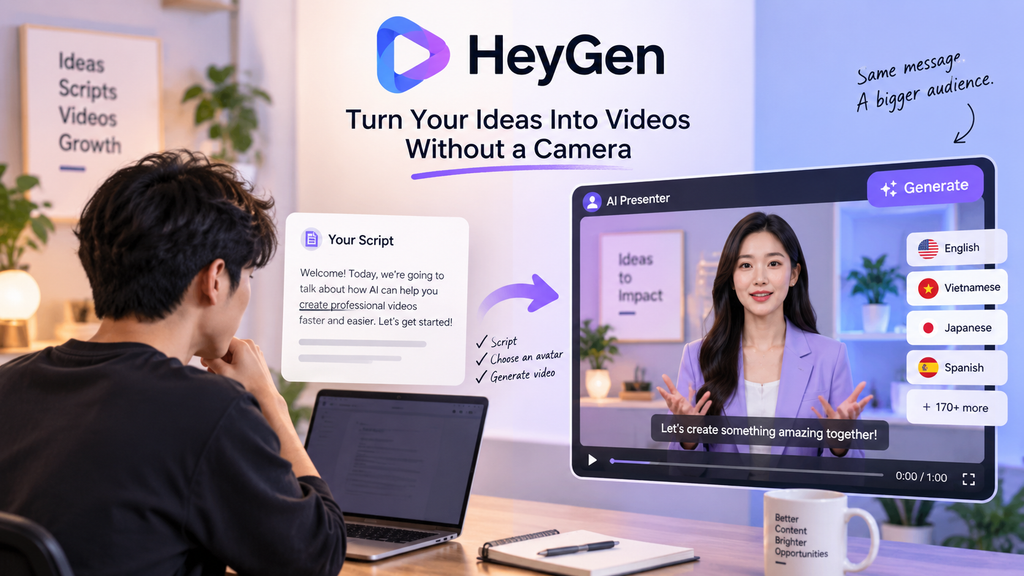
Not everyone wants to sit in front of a camera just to make a video. HeyGen takes a different approach: give it a script, choose an AI avatar, and you can turn that idea into a polished presenter-style video without filming yourself.
But avatars are only part of what makes HeyGen interesting. Its combination of AI video creation, voice cloning, and multilingual video translation makes it useful for creators who want to produce and adapt content at scale.
What Is HeyGen?
HeyGen is an AI video creation platform built around virtual presenters and automated video production. You can start with a script, select an avatar and voice, then customize the video before generating it.
The platform also supports photo avatars, voice cloning, AI-generated video content, and translation tools, giving creators several ways to turn existing ideas into finished videos.
Create Videos Without Recording Yourself
The most obvious use case is also one of the simplest.
Instead of setting up a camera, lighting and microphone, you can write your script and let an AI avatar deliver it. HeyGen provides hundreds of stock avatars as well as options for creating custom avatars.
This can work particularly well for:
- Explainer videos
- Product presentations
- Educational content
- Marketing videos
- Social media content
- Internal training
The result is less about replacing traditional filmmaking and more about removing some of the production work that normally comes before editing.
The Feature That Stands Out: Video Translation
This is where HeyGen becomes more than an avatar generator.
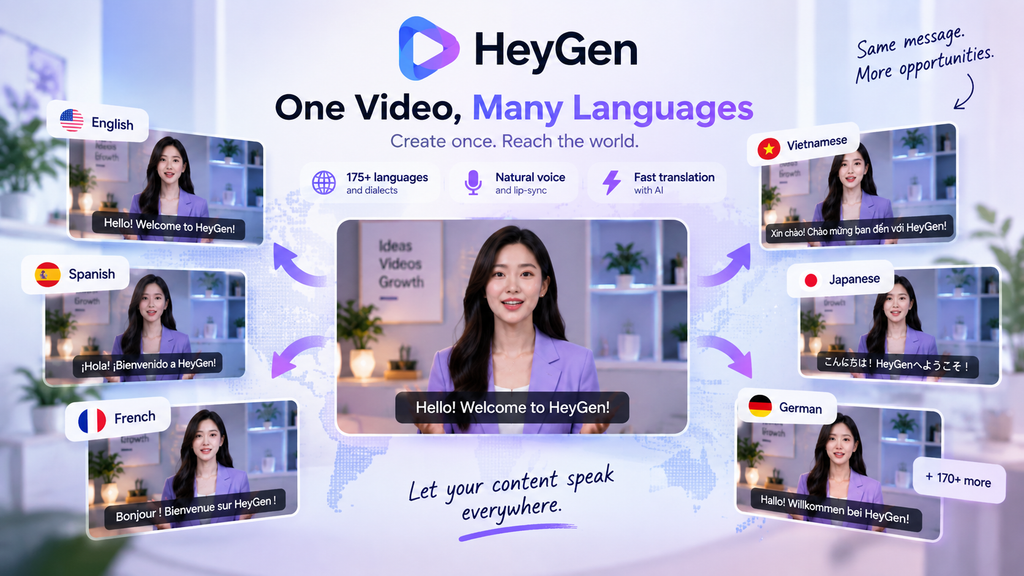
Its translation tools can adapt videos into different languages while preserving the original voice characteristics and synchronizing the translated speech with the speaker’s mouth movements. HeyGen currently advertises support for more than 175 languages and dialects on its paid plans.
For a creator with one successful video, this creates an interesting workflow:
One original video → multiple localized versions → multiple audiences.
You don’t necessarily need to record the same presentation again for every language.
More Than Just AI Avatars
HeyGen also brings several other pieces into the same workflow.
Voice cloning can reproduce a user’s voice for AI-generated narration, while photo avatars can turn images into presenter-style content. The platform also includes AI video generation and tools for creating, editing and localizing content.
That makes HeyGen particularly useful when the goal isn’t simply to make one video, but to create variations of the same content.
What About Pricing?
HeyGen has a free tier that lets users create up to 3 videos per month, with videos up to 1 minute long.
The Creator plan starts at $29/month and includes 600 credits, 1080p export, voice cloning, watermark removal and access to 175+ languages and dialects.
The Pro plan starts at $49/month, increasing the monthly credit allowance to 1,000 and adding 4K export and additional advanced capabilities.
For teams, Business starts at $149/month, with additional seats costing $20 each.
Because HeyGen now uses a credit-based system across many generation features, actual usage can depend on the type and length of content you create.
Is HeyGen Worth Trying?
HeyGen makes the most sense when video creation is more of a production problem than a filming problem.
If you need an AI presenter, want to create videos without appearing on camera, or need to adapt existing content for different languages, it puts several useful tools in one platform.
The free plan is also enough to experiment with the workflow before paying for more generation capacity.
Want to see what your own script could become? Try HeyGen and turn your next idea into a video.