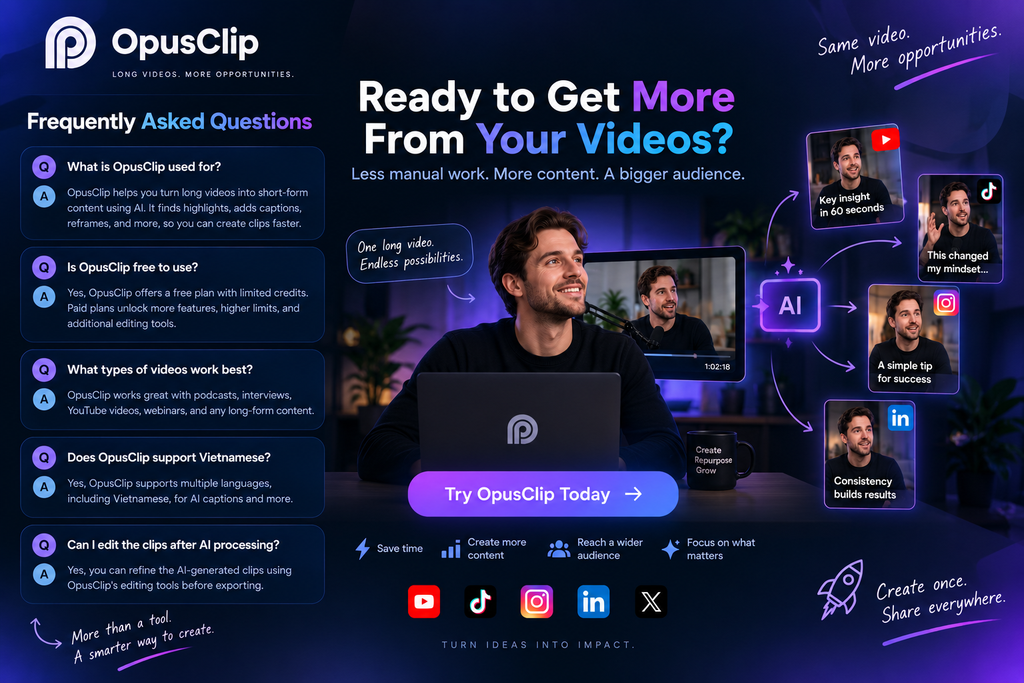
Creating short-form content sounds simple until you have a two-hour podcast, webinar, interview, or YouTube video sitting in front of you.
Finding the strongest moments, cutting them down, reframing the footage for vertical screens, adding captions, and making each clip feel native to platforms like TikTok, Instagram Reels, or YouTube Shorts can take far longer than expected.
OpusClip takes a different approach. Instead of asking creators to edit every short from scratch, it uses AI to analyze long-form footage, identify potential highlights, and turn them into ready-to-edit short clips.
But automation is only useful if the results are actually usable. So the more important question is not whether OpusClip can create clips — it is how much work it can realistically remove from the content repurposing process.
What Is OpusClip?
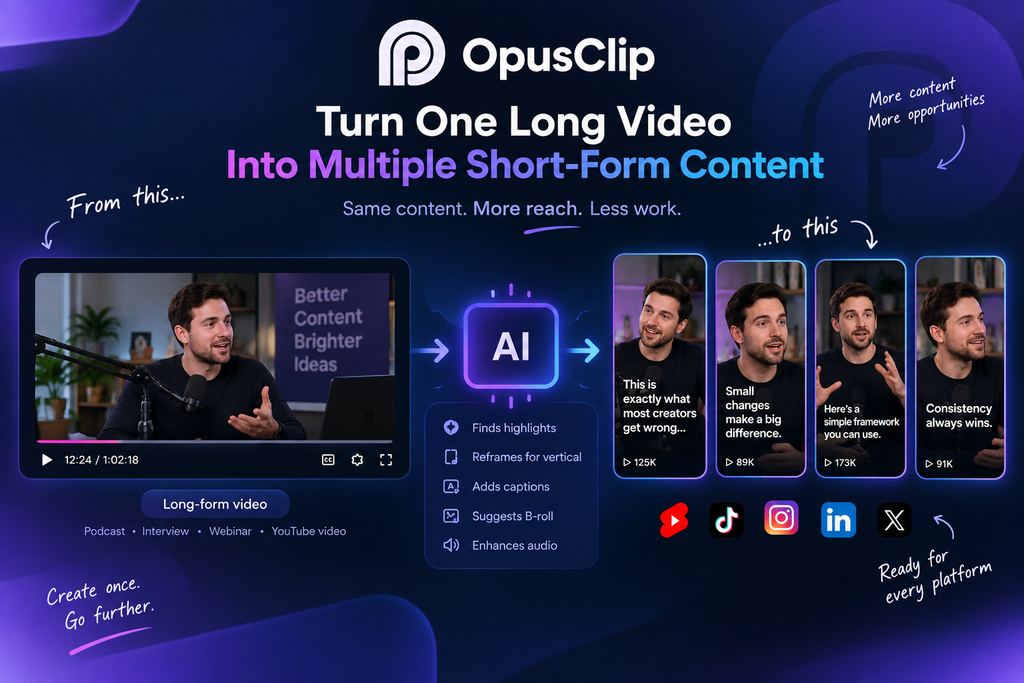
OpusClip is an AI-powered video repurposing platform designed primarily for turning long videos into short-form content.
Its workflow is built around existing footage. You provide a long video, and the platform analyzes the content to identify moments that could work as standalone clips.
From there, OpusClip can automatically handle several parts of the editing process, including reframing, captions, visual enhancements, and other finishing touches.
That makes it particularly relevant for creators who already produce long-form content but struggle to turn each recording into enough short-form posts.
It is worth making this distinction clear: OpusClip is not primarily an AI video generator. Its strongest use case is taking content you already have and getting more usable pieces out of it.
How OpusClip Turns One Video Into Multiple Clips
The basic workflow is straightforward.
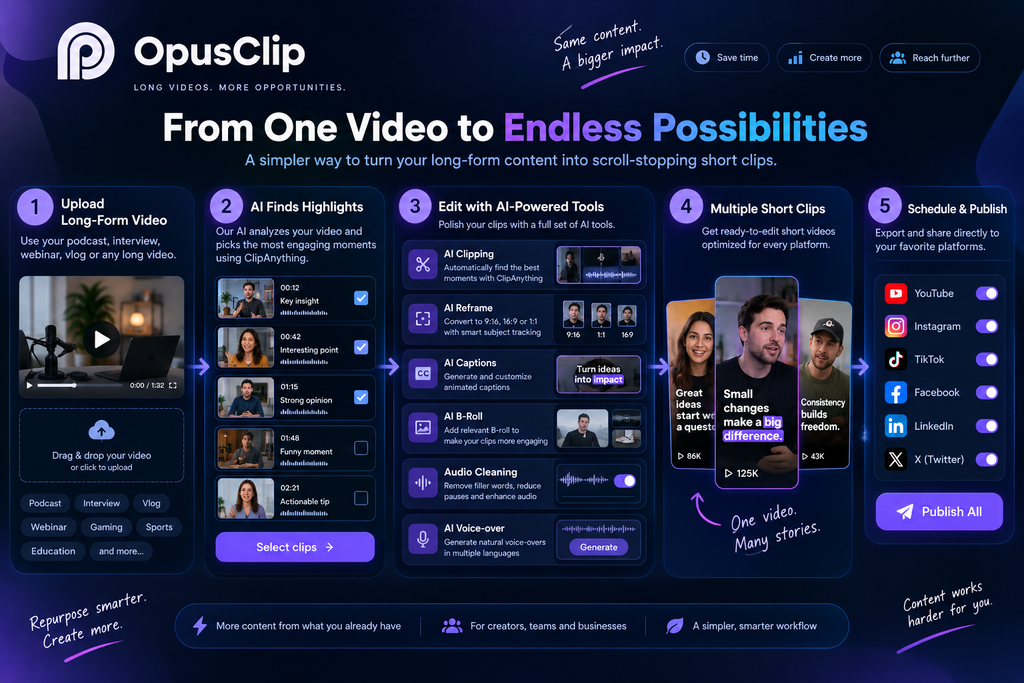
1. Upload a Long-Form Video
You start with existing footage such as a podcast, interview, presentation, livestream, or YouTube video.
OpusClip then analyzes the video’s content rather than simply cutting it into arbitrary sections.
2. AI Looks for Potential Highlights
This is where the platform becomes more interesting than a conventional video editor.
Its AI looks for moments that could work independently, considering factors such as the spoken content, context, visuals, and overall engagement potential.
OpusClip’s ClipAnything system is designed to make this process work across different types of content, rather than relying only on conventional talking-head videos.
The result is a selection of potential clips that you can review instead of manually searching through the entire recording.
3. The Video Is Reframed
A long-form video is often recorded horizontally, while short-form platforms are dominated by vertical formats.
OpusClip can automatically reframe footage for formats such as 9:16, keeping the relevant person or subject within the frame.
This sounds like a small feature, but it removes one of the more repetitive parts of repurposing content.
4. Captions and Other Enhancements Are Added
OpusClip can automatically generate captions and apply additional enhancements such as B-roll, audio improvements, and other editing elements.
At this stage, the output starts looking less like an automatically generated crop and more like a short-form video prepared for further editing.
5. You Still Review the Result
This is the step that should not be skipped.
AI can identify a promising moment, but it does not always understand your audience, brand voice, or the exact context you want to preserve.
A clip may technically work while still needing a better opening, different cut, caption correction, or a little manual editing.
That means OpusClip is most useful as a content repurposing assistant, rather than a completely hands-off replacement for an editor.
Key Features Worth Paying Attention To
AI Clipping
AI clipping is the foundation of OpusClip.
Instead of manually watching a long recording and marking timestamps, the platform generates potential short clips automatically.
For podcast and interview creators, this can be particularly useful because a single long recording may contain several independent conversations, opinions, stories, or useful statements.
The real benefit is not simply “AI makes videos.” It is that the discovery process becomes much faster.
AI Reframe
Reframing is another practical strength.
When the original footage is horizontal, manually converting it into vertical content often means repeatedly adjusting the crop and checking whether the speaker remains visible.
OpusClip automates much of that process by tracking the important subject.
For creators producing content across several platforms, this can save a considerable amount of repetitive editing.
AI Captions
Captions are almost expected in modern short-form video, and OpusClip automatically generates them as part of the workflow.
The platform supports multiple languages, including Vietnamese, making the feature more relevant for creators working with non-English content.
However, automated captions should still be checked before publishing. Names, technical terms, accents, and unusual phrases can occasionally require corrections.
AI B-roll
OpusClip can also add B-roll to suitable sections of a clip.
This can make otherwise static talking-head footage more visually varied.
The important word here is supplement.
B-roll generated or selected automatically should support the message rather than distract from it. For content with a strong visual identity, creators may still prefer to replace automatically selected footage with their own assets.
Audio Enhancement
Audio quality can make a noticeable difference in short-form content.
OpusClip includes tools intended to improve the listening experience, helping make spoken content cleaner and more suitable for social platforms.
This is especially useful when the original recording is good enough to use but needs some polishing before publication.
What Makes OpusClip Useful?
The biggest advantage is not any individual AI feature.
It is the combination of several repetitive tasks in one workflow.
Without a tool like this, turning one podcast into several Shorts might involve:
Watch → find timestamps → cut → crop → caption → edit → export → repeat
With OpusClip, much of that becomes:
Upload → review AI selections → refine → export
You still need editorial judgment, but the amount of manual searching and repetitive formatting can be reduced significantly.
This makes OpusClip particularly interesting for creators who already have a large library of long-form footage.
Where OpusClip Can Fall Short
Automation does not automatically equal good editing.
The AI may select a section that sounds interesting but loses important context when removed from the original conversation.
A clip can also have a reasonable “virality” score without actually becoming popular after publication. Metrics like these are better treated as prioritization tools rather than guarantees of performance.
There is also the question of control.
Creators who enjoy detailed timeline editing may find OpusClip less flexible than a traditional editor. Its strength is speed and automation, not giving you complete manual control over every frame.
Another consideration is its credit-based usage model. Before choosing a paid plan, it is worth looking at how much source footage you expect to process rather than simply counting the number of finished Shorts you want to publish.
OpusClip Pricing
OpusClip offers multiple plans, including a free option and paid tiers with additional processing capacity and features.
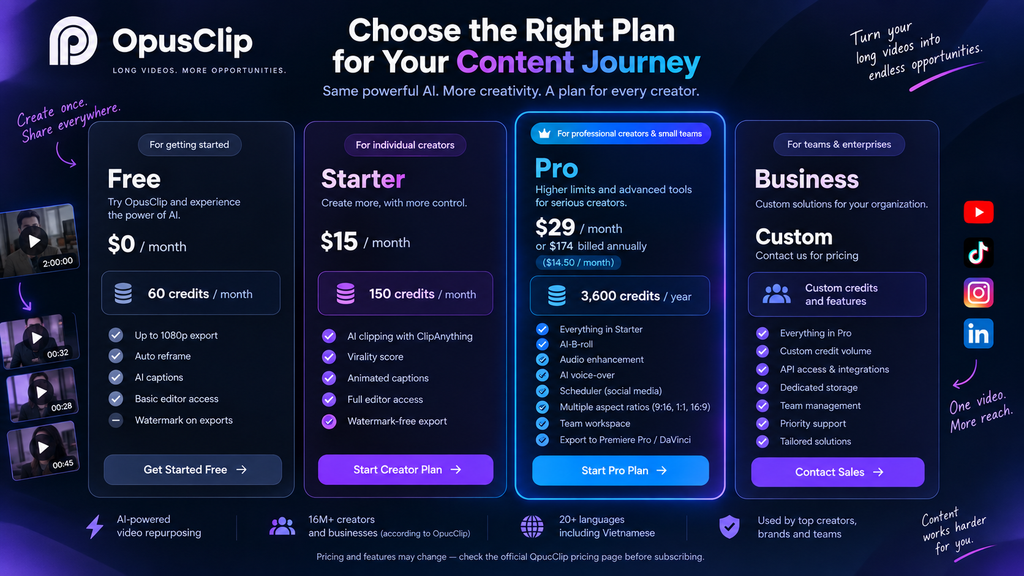
Because pricing and plan limits can change, checking the current pricing page before subscribing is a better approach than relying on an old pricing table from a third-party review.
Who Is OpusClip Best Suited For?
OpusClip makes the most sense when you already have long-form content that can be repurposed.
It can be useful for:
- Podcast creators
- YouTubers
- Interview channels
- Webinar creators
- Educators
- Marketing teams
- Businesses with existing video libraries
- Agencies producing social content for clients
The common factor is simple: you have long videos and need more short-form content from them.
If you rarely create long-form videos, however, much of OpusClip’s value becomes less obvious.
Someone starting with a script, a few images, or a blank timeline may get more value from a broader video creation or editing platform.
Final Take
OpusClip is built around a very specific problem: getting more short-form content out of long-form video without manually editing every clip from scratch.
Its AI clipping, automatic reframing, captions, B-roll, and enhancement tools can significantly streamline that process.
But the platform works best when you treat its output as a strong first draft rather than a finished product. The AI can accelerate the search and editing process, while the creator still provides the final editorial judgment.
For anyone regularly producing podcasts, interviews, YouTube videos, webinars, or other long-form content, that distinction is what makes OpusClip interesting.
One long video does not have to mean one piece of content. With the right workflow, it can become the starting point for an entire library of short-form posts.