A meeting can go wrong before anyone says anything important. A noisy room, a weak microphone, or several people talking in the background can make a simple conversation surprisingly difficult to follow.
Krisp takes a different approach to this problem. Instead of asking users to buy better microphones or find a quieter room, it uses AI to process meeting audio in real time. The platform has also expanded beyond noise cancellation, adding transcription, AI meeting notes, action items, recordings, AI Chat, and real-time accent conversion.
So, is Krisp still worth using when Zoom, Google Meet, and Microsoft Teams already offer their own audio and meeting features?
Let’s take a closer look.
What Is Krisp?
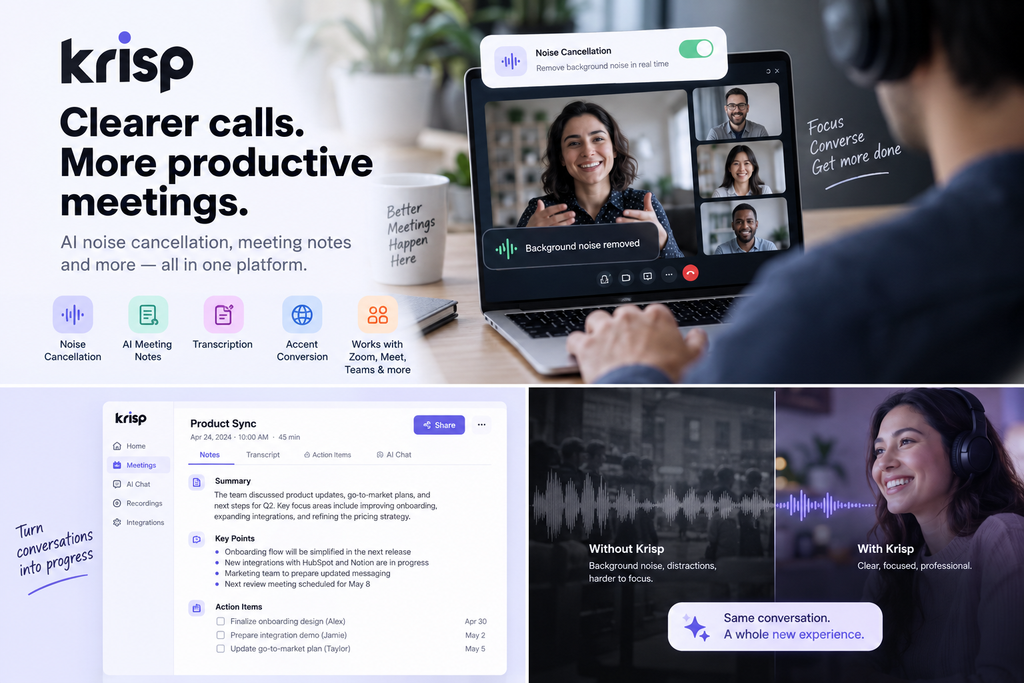
Krisp is an AI-powered voice and meeting platform designed to improve the quality of online conversations while reducing the amount of manual work required after a meeting.
Its original focus was real-time noise cancellation. Today, Krisp combines that technology with an AI Meeting Assistant that can record and transcribe meetings, create notes and action items, and let users ask questions about previous conversations.
The platform works alongside meeting applications rather than replacing them. Users can use Krisp with services such as Zoom, Google Meet, Microsoft Teams, and Slack Huddles.
That distinction is important: Krisp is less of a replacement for your existing meeting software and more of an additional AI layer that improves the experience around it.
What Can Krisp Do?
Krisp’s current feature set can be divided into several practical areas.
1. AI Noise Cancellation
This remains one of Krisp’s main features.
The software processes microphone and speaker audio in real time to reduce unwanted background sounds. It can also remove background voices, helping keep the primary speaker clearer when other people are talking nearby.
This is particularly useful for people working from:
- Shared offices
- Cafés
- Home environments
- Busy workplaces
- Locations with unpredictable background noise
Unlike traditional post-production noise reduction, Krisp is designed for live conversations. It is not intended to clean up an already recorded audio file after the fact.
2. AI Meeting Notes
Krisp’s Meeting Assistant can automatically capture a conversation and turn it into structured information.
Depending on the setup, it can produce:
- Transcripts
- Key discussion points
- Meeting notes
- Action items
- Recordings
- Follow-up information
Users can also ask questions about a meeting through AI Chat rather than manually searching through an entire transcript.
This changes Krisp from being purely an audio-enhancement application into something closer to a complete meeting workflow.
3. Bot-Free Meeting Notes
One of Krisp’s more interesting characteristics is its bot-free approach.
Instead of requiring an AI participant to join your meeting as another attendee, Krisp can capture meetings through the desktop application. Its Core plan includes a bot-free AI Note-taker.
For users who regularly attend meetings with external clients, this can be useful because there is no additional meeting participant appearing in the attendee list.
Krisp also supports a traditional bot-based recording option, so users can choose the approach that fits their workflow.
4. Real-Time Accent Conversion
Another less common feature is Accent Conversion.
Krisp can modify accents in real time for supported use cases, with different limits depending on the subscription plan. The Core plan currently includes one hour per day of accent conversion, while Advanced provides higher limits.
This is particularly relevant to international teams and customer-facing conversations where speech clarity can affect communication.
It is not simply a translation feature, though. Accent Conversion and language translation solve different problems, so users should not treat them as interchangeable.
5. AI Chat and Searchable Meeting Information
After a meeting has been captured, Krisp allows users to interact with the resulting information through AI Chat.
Instead of rereading an entire transcript, a user can ask questions about what was discussed and retrieve relevant information.
This can be useful when a meeting contains many details but only a few decisions or follow-up items actually matter.
Krisp With Zoom, Google Meet, and Microsoft Teams
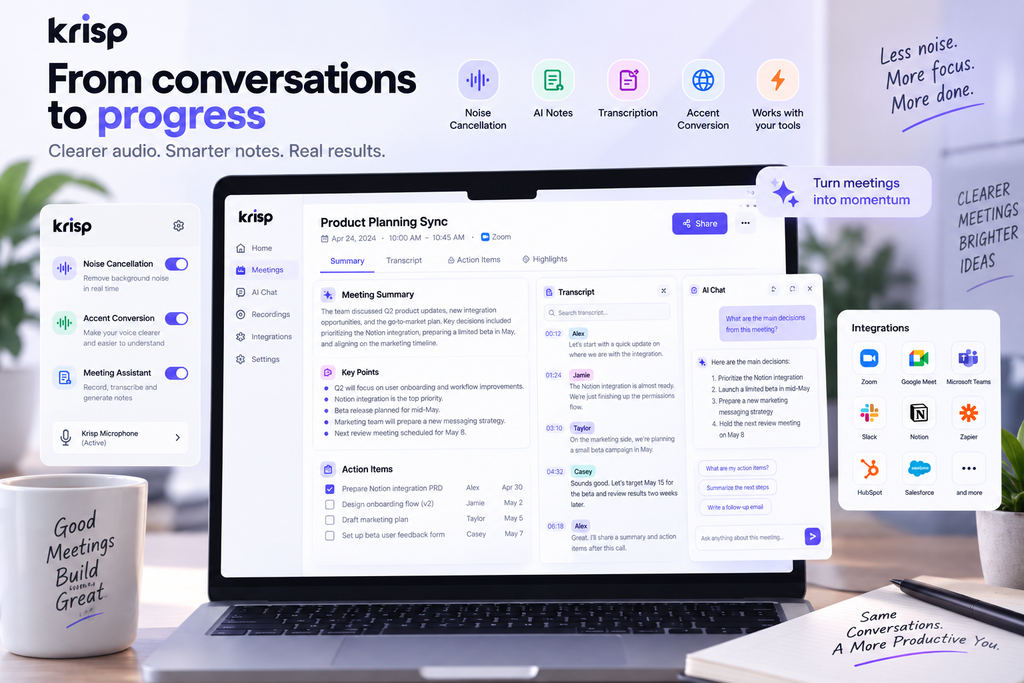
Krisp does not require users to abandon their existing meeting platform.
The basic workflow is straightforward:
- Install Krisp.
- Select Krisp Microphone and Krisp Speaker in the meeting application.
- Enable the features you need.
- Start the meeting normally.
Krisp’s documentation specifically supports workflows involving Zoom, Google Meet, Microsoft Teams, and Slack Huddles.
The advantage is flexibility. You can keep using the meeting platform your team already relies on while adding Krisp’s audio and AI features on top.
The trade-off is that Krisp adds another application and another layer of configuration to your setup.
Zapier’s 2026 review of AI meeting assistants also highlights this point: Krisp’s desktop-based architecture avoids requiring a bot to enter the meeting, but users need to configure Krisp as their audio input and output.
Krisp Pricing
Krisp currently offers a 7-day free trial without requiring a credit card.
The current paid plans are:
| Plan | Monthly Price | Annual Billing | Main Focus |
|---|---|---|---|
| Free Trial | $0 | $0 | Try premium features |
| Core | $16/user/month | $8/user/month | Individuals and small teams |
| Advanced | $30/user/month | $15/user/month | Advanced controls and integrations |
| Enterprise | Custom | Custom | Larger organizations |
Annual billing is currently advertised at 50% savings compared with monthly pricing.
Free Trial
The 7-day trial includes:
- Unlimited transcription
- Unlimited noise cancellation
- Unlimited audio and video recording
- Unlimited AI notes and action items
- Limited Accent Conversion and Understanding
No credit card is required for the trial.
Core
Core is aimed at individuals and small teams.
It includes:
- Unlimited AI Note-taker
- Bot-free meeting notes
- Transcription
- Recording
- AI Notes and Action Items
- Unlimited Noise Cancellation
- Multilingual transcripts
- AI Chat
- Mobile app
- Integrations
- 10 GB storage
Krisp currently lists integrations including HubSpot, Slack, Notion, Zapier, Microsoft Teams, and API access. It also lists MCP integrations for tools including Claude, ChatGPT, and Cursor.
Advanced
Advanced increases the limits and adds more administrative and business-oriented features.
It includes:
- Advanced integrations
- Salesforce
- ConnectWise
- Manager View
- Company Deal Grouping
- Advanced admin controls
- Team-level webhooks
- Trim and comment
- 60 GB storage
Enterprise
Enterprise is designed for larger organizations that need additional security and administration.
Features include:
- SSO/SCIM
- Advanced security controls
- SOC 2 report access
- Optional BAA
- Data center location choice
- Private transcription and recordings
- Super admin controls
- Usage analytics
- Unlimited storage
Enterprise pricing is customized rather than publicly listed.
What Makes Krisp Different?
The interesting part of Krisp is not any single AI feature.
There are plenty of applications that can transcribe meetings. There are also plenty of tools that can summarize conversations.
Krisp combines those capabilities with real-time audio processing.
That means the same application can potentially help with the conversation while it is happening and with the information after it ends.
This gives Krisp a more specific position than a generic AI meeting note-taker.
Its strongest use case is arguably someone who has both problems:
“People can’t always hear me clearly.”
and
“I don’t want to manually process every meeting afterward.”
Krisp Pros and Cons
Pros
- Real-time AI noise cancellation
- Bot-free meeting assistant option
- Transcription and meeting summaries
- Automatic action items
- AI Chat for meeting information
- Accent Conversion
- Works alongside popular meeting platforms
- Integrations with productivity and business tools
- 7-day free trial without a credit card
Cons
- Requires installing and configuring another application
- Some features have daily or plan-specific limits
- Advanced business features can become expensive for larger teams
- Users who already have excellent microphones and quiet environments may get less value from the audio features
- Krisp is primarily designed around live communication rather than post-production audio editing
Who Is Krisp For?
Krisp makes the most sense for people whose work involves frequent voice communication.
Remote Workers
If your workspace is not consistently quiet, noise cancellation can solve a problem that better meeting software alone may not.
Freelancers and Consultants
Client meetings often produce information that needs to be remembered later. Automatic transcripts, summaries, and action items can reduce the amount of manual note-taking.
Sales Teams
Sales conversations can contain important details about customers, requirements, objections, and follow-up tasks. Meeting intelligence can help turn those conversations into structured information.
International Teams
Accent Conversion and multilingual transcripts make Krisp particularly relevant for teams communicating across different languages and accents. Krisp currently lists support for transcripts and summaries in 16+ languages.
People Working in Noisy Environments
This is still perhaps the simplest reason to use Krisp.
If background noise is regularly affecting your calls, Krisp addresses the problem directly.
Who Might Not Need Krisp?
Krisp is not automatically necessary for everyone.
If you already work in a quiet environment, use a good microphone, and only attend occasional meetings, the additional software may not provide enough value to justify another subscription.
Likewise, if your main requirement is simply recording and transcribing an occasional meeting, a dedicated meeting assistant built into your existing workflow may be sufficient.
The value of Krisp increases when audio quality and meeting productivity are both important.
Final Thoughts
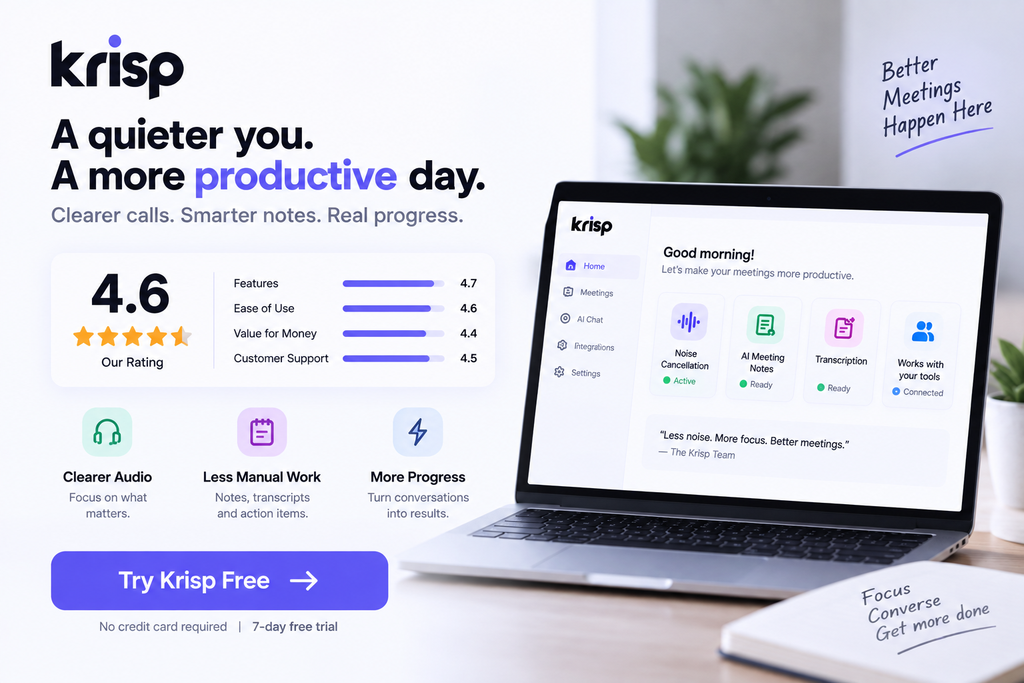
Krisp has evolved considerably beyond its original identity as a noise-cancellation application.
Its current product combines real-time audio processing with transcription, meeting notes, action items, recordings, AI Chat, integrations, and accent conversion.
That combination is what makes the platform interesting.
For someone who spends a large part of the week in online meetings, Krisp can address two separate frustrations at once: making conversations easier to hear and making the information from those conversations easier to use afterward.
The main question is therefore not whether Krisp has enough features. It is whether you actually need both sides of the product.
If you regularly deal with noisy environments, frequent meetings, or large amounts of information generated through calls, Krisp is worth exploring through its free trial before committing to a paid plan.