There is a big difference between asking AI for a piece of code and giving it an entire software project to work with.
Cursor is built around that second idea.
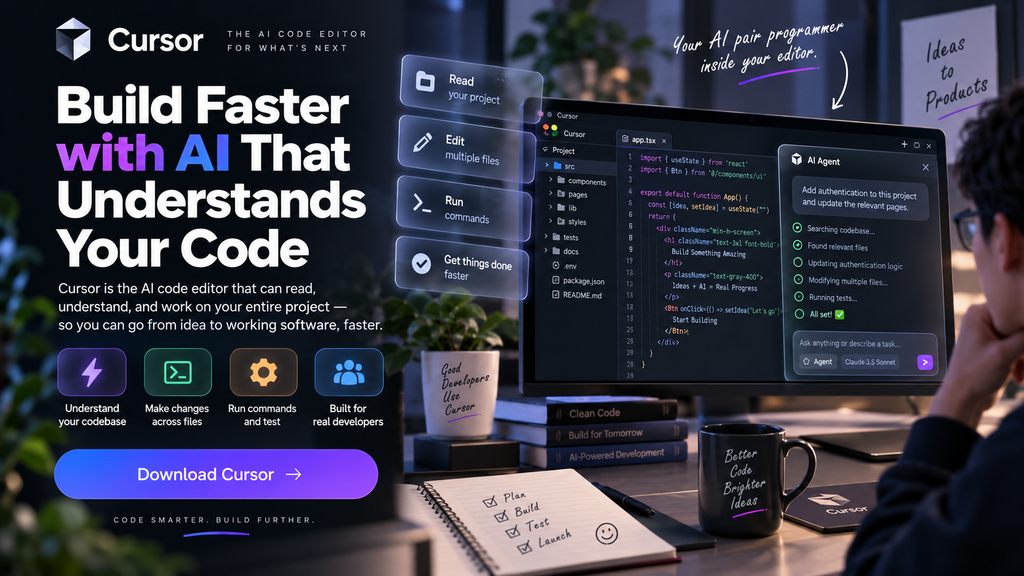
Rather than treating AI as a separate chat window, Cursor puts it directly inside the development environment. The AI can inspect project files, search for relevant code, make changes, run commands, and work through tasks that involve multiple parts of an application.
That makes Cursor interesting not because it can simply “write code,” but because it changes how developers interact with AI while building software.
What Is Cursor?
Cursor is an AI-powered code editor built for software development.
It looks and feels like a modern development environment, but AI is integrated into many parts of the workflow. You can write code normally, ask questions about a project, use AI autocomplete, or hand a larger task to an Agent.
The result is a workflow where the developer can move between writing code manually and delegating parts of the work to AI.
Cursor supports a range of current AI models and provides different ways to control how those models are used. (cursor.com)
The Interesting Part: Cursor Can Work on the Project
Imagine opening a project you did not build yourself.
There may be hundreds or thousands of files, unfamiliar components, configuration files, APIs, tests, and dependencies.
Instead of copying pieces of the project into a chatbot and explaining how everything connects, Cursor can search the codebase and locate the information it needs.
This is where its Agent becomes important.
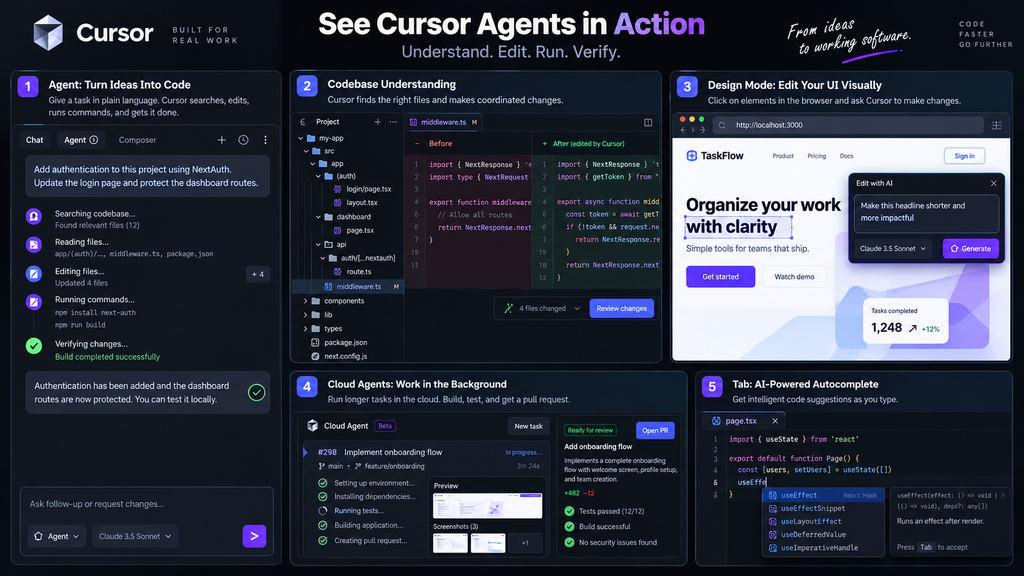
You can describe an outcome rather than a single coding instruction—for example, asking the Agent to add a feature, refactor part of an application, investigate an error, or update several related files.
Cursor can then inspect the project and determine which parts need to change. (cursor.com)
Cursor Agent
The Agent is the feature that pushes Cursor beyond ordinary AI autocomplete.
A typical interaction might look like this:
Describe the task → Agent investigates → Code changes are proposed → Commands/tests run → Results are reviewed
The Agent can search the codebase, edit files, use the terminal, and work through multiple steps.
That means a request does not necessarily have to be broken into ten tiny prompts.
For larger development work, this can make AI feel less like a code generator and more like an assistant that can actually participate in the implementation process. (cursor.com)
Of course, the developer still needs to review what was produced. Giving an AI access to a project does not automatically make every change correct.
Working With Existing Code
One of Cursor’s most useful characteristics is that it can work with projects that already exist.
This matters because real software development is rarely about starting with an empty file.
You might inherit an application, join an existing team, or return to a project you have not touched for months.
In those situations, understanding the existing structure can take more time than writing the new code itself.
Cursor’s codebase search and AI context features are designed to help the Agent locate relevant files and understand relationships within the project. (cursor.com)
This makes it useful for tasks such as:
- Finding where a feature is implemented
- Tracing how data moves through an application
- Refactoring repeated code
- Updating several connected components
- Investigating bugs
- Adding tests
- Understanding unfamiliar repositories
Tab: The Faster, More Familiar Side of Cursor
Not every task needs an autonomous Agent.
Sometimes you simply want to type code and have AI predict what comes next.
That is where Tab comes in.
Cursor’s Tab provides AI-powered code completion while you work. It can suggest code and edits without requiring you to hand over an entire task to an Agent.
This creates two different styles of AI-assisted development:
Tab: stay in control and accelerate what you are already writing.
Agent: describe a larger goal and let AI work through multiple development steps.
Paid individual plans currently include unlimited Tab completions. (cursor.com)
Cloud Agents
Cursor does not stop at the computer sitting in front of you.
Its Cloud Agents can run development tasks inside isolated cloud environments. These environments can contain the repository, dependencies, secrets, startup commands, and network access needed for the task.
The Agent can build and test software there without requiring your local machine to stay connected.
Multiple Cloud Agents can also run in parallel, and they can work across multiple repositories when a task involves separate frontend, backend, infrastructure, or shared-library projects. (cursor.com)
This opens up a different workflow:
Instead of waiting for one coding task to finish before starting another, developers can send several independent tasks to cloud agents and review the results afterward.
Cloud Agents are usage-based, with costs depending on the selected model and context window. (cursor.com)
MCP, Skills, and Hooks
Modern development rarely happens inside one application.
Developers use databases, APIs, Git repositories, project-management tools, internal systems, and other services.
Cursor supports MCP (Model Context Protocol), allowing agents to connect with external tools and sources of information. It also supports skills and hooks for customizing how agents behave and interact with development workflows. (cursor.com)
This makes Cursor more flexible than an AI editor that only knows about the files inside its window.
For teams with specialized workflows, these integrations can become an important part of how AI is used across the development process.
Bugbot: AI for Code Review
Cursor also tackles what happens after code has been written.
Bugbot is designed to review code changes and identify potential problems in pull requests.
Instead of only helping generate code, Cursor can therefore participate in another part of the development cycle: reviewing changes before they are merged.
Bugbot is available through Cursor’s paid plans with usage-based billing. (cursor.com)
This creates a broader loop:
Build → Test → Review → Improve
rather than stopping once the AI produces a block of code.
Cursor Pricing
Cursor currently has a Free Hobby plan, individual Pro, Pro+ and Ultra plans, plus Teams and Enterprise options.
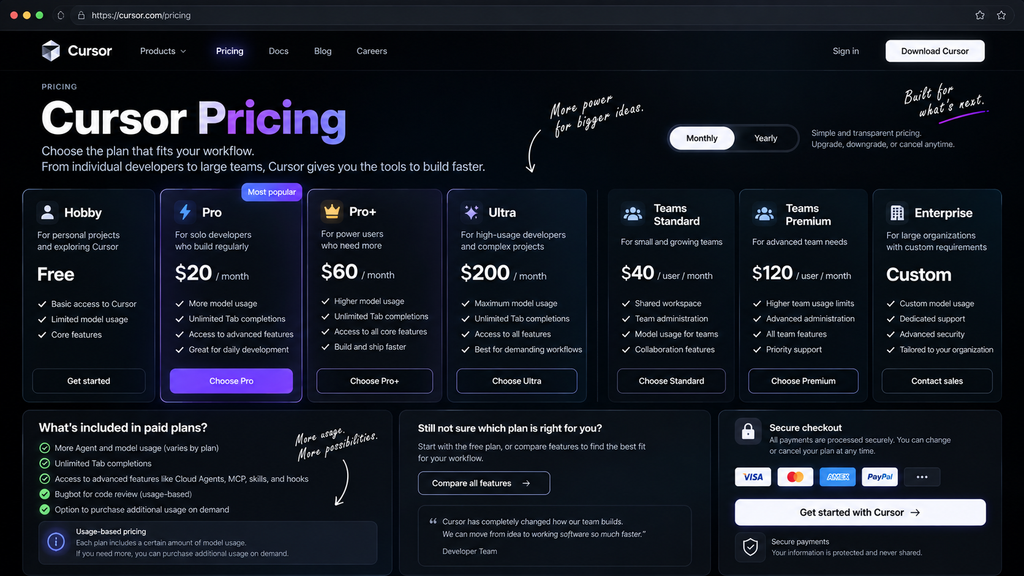
The individual plans are currently listed at $20/month for Pro, $60/month for Pro+, and $200/month for Ultra. Teams starts at $40/user/month for the Standard seat, while Enterprise uses custom pricing. Cursor also offers a Premium Teams seat at $120/user/month with higher usage allowances. (cursor.com)
The important thing to understand is that Cursor pricing is not based only on the subscription.
Each plan includes model usage, and additional usage can be purchased on demand. Different AI models consume usage differently, so heavy Agent users can reach their included allowance faster than someone who mainly uses Tab completions. (cursor.com)
[INSERT CURSOR PRICING IMAGE HERE]
For that reason, when comparing Cursor plans, the monthly subscription is only part of the picture.
Who Is Cursor Built For?
Cursor makes the most sense for people who spend significant time building or maintaining software.
It can be useful for:
- Web developers
- Software engineers
- Full-stack developers
- Students learning software development
- Developers working with large repositories
- Teams experimenting with AI-assisted development
- People building prototypes and applications
The biggest benefit appears when there is enough code and context for the AI to work with.
If you only need an occasional answer to a simple programming question, a general AI chatbot may already cover that use case.
What Should You Watch Out For?
AI agents can save time, but they also introduce a different responsibility.
When an AI changes several files automatically, it becomes more important to understand what was changed and why.
A change can compile successfully while still introducing an architectural problem, unexpected behavior, security issue, or unnecessary complexity.
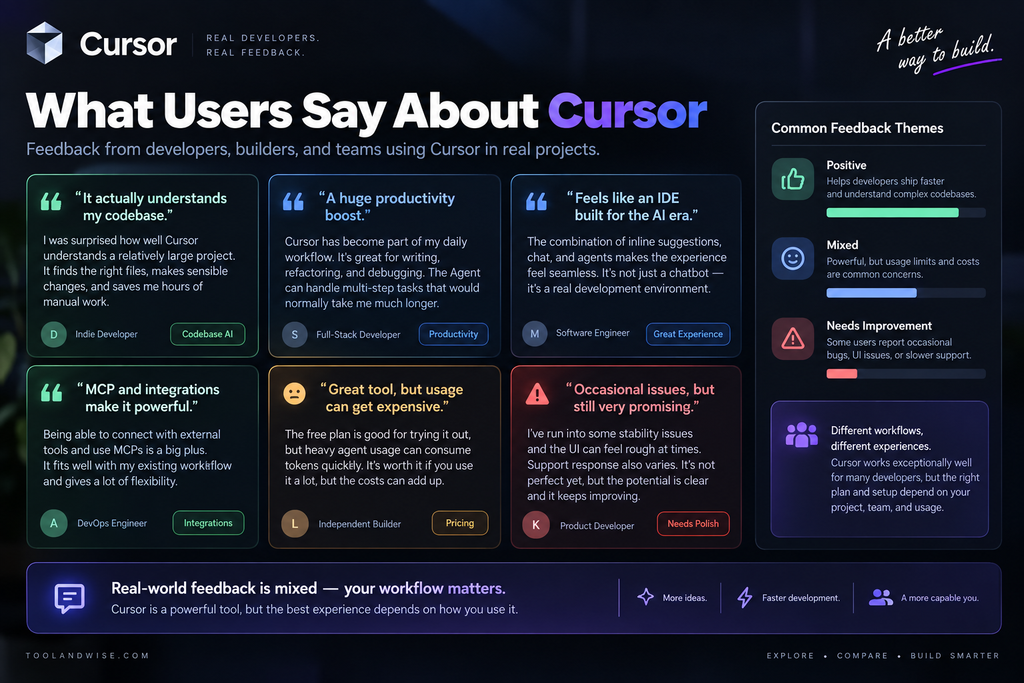
Usage is another consideration. Cursor’s current pricing system is tied closely to model usage, so developers who rely heavily on Agents or expensive models need to pay attention to their usage dashboard and spending controls. (cursor.com)
In other words, Cursor can reduce the amount of typing involved in development, but it does not remove the need for technical judgment.
Final Thoughts
Cursor is an interesting example of how AI coding tools are evolving.
The older model of AI-assisted programming was mostly:
Ask → Get code → Copy → Paste
Cursor moves toward something closer to:
Describe → Investigate → Build → Test → Review
That difference matters.
Its combination of codebase awareness, Agent workflows, Tab completion, Cloud Agents, MCP support, and AI-powered code review makes Cursor much more than another autocomplete editor. (cursor.com)
For developers who want AI to participate directly in the development process, Cursor offers a much deeper workflow than simply asking a chatbot for snippets of code.
FAQ
Is Cursor an AI code editor?
Yes. Cursor is an AI-powered development environment with AI completion, chat, Agents, and other tools designed around software development.
Can Cursor understand an entire project?
Cursor can search and use context from a codebase to help its Agent work across relevant files and understand how different parts of a project connect. (cursor.com)
Can Cursor change multiple files?
Yes. Its Agent can make coordinated changes across multiple files when a task requires them. (cursor.com)
What are Cursor Cloud Agents?
They are AI coding agents that run in isolated cloud development environments rather than directly on your local machine. They can build, test, and interact with software in those environments. (cursor.com)
Does Cursor support MCP?
Yes. Cursor supports MCP for connecting AI agents with external tools and data sources. (cursor.com)